Start typing a website’s name or a URL in the Google Chrome browser’s address bar, and autocomplete will display suggestions based on the sites you recently visited. Delete a URL from autocomplete suggestions in the Google Chrome browser address bar using this simple keyboard shortcut.
On Windows, when it highlights the URL you want to delete, simply press: SHIFT + DELETE
For Mac users, press: Fn + Shift + Delete
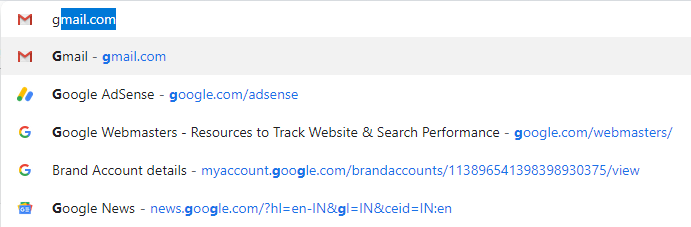
Autocomplete could even pose a privacy risk as it can reveal the sites you have visited especially when there are other users on the same PC.
