
AOL has introduced a mail service known as “Alto” with a new approach towards organising your emails. The new web-based email client allows you to organise, send, and receive emails by connecting your email accounts.
You don’t have to sign up with a new email ID to use Alto Mail. You can connect your Gmail, Yahoo Mail, AOL Mail, or iCloud with Alto and start receiving all your emails from various accounts in one place.
Stacking and Organisation Features
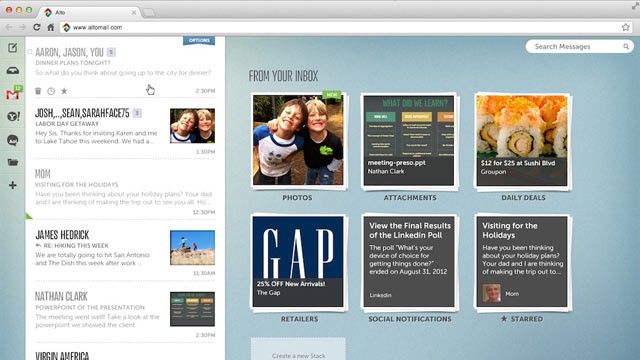
Once connected with your existing email ID, Alto automatically organises the data from your emails into separate stacks. Images and attachments from your emails are organised as separate stacks. This makes it easier to discover files and attachments from your old emails.
It also has separate stacks for social network notifications and daily deals, and it lets you create your own stacks. New stacks can be created based on recipients, senders, keywords, subjects, etc.
Alto Mail can connect up to five email accounts per user. The new Alto is currently in private beta. If you would like to give it a try, request an invite from Alto by providing your email address here.
Source: Altomail